Get duplicate SIM if you've lost it
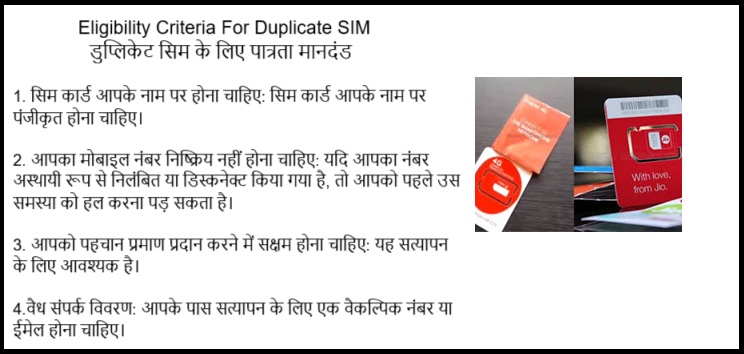
1. Eligibility Criteria For Duplicate SIM:
- The number must be in your name: The SIM card should be registered under your name.
- Your mobile number should not be barred: If your number has been temporarily suspended or disconnected, you may need to resolve that issue first.
- You should be able to provide proof of identity: This is necessary for verification.
- Valid contact details: You should have a secondary number or email for verification.
2. Documents Required For Duplicate SIM
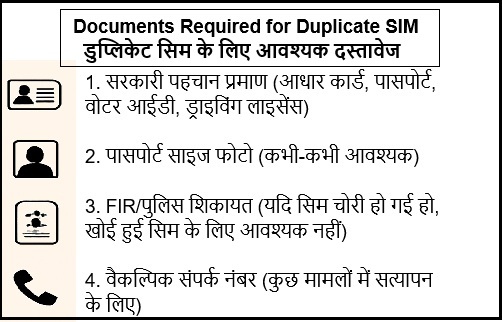
- Government-issued ID (Aadhaar card, Passport, Voter ID, Driver's License)
- Passport-size photo (sometimes required)
- FIR/Police Complaint (if the SIM was stolen, not required for lost SIM)
- Alternative Contact Number (for verification, in some cases)
3. Before Getting a Duplicate SIM:
- Inform Your Provider:
- Call customer care or visit the store to report your SIM lost or stolen.
- Airtel: 121, Jio: 199, Vi: 199, BSNL: 1503
- Block the Lost SIM (Optional but Recommended):
- Request your provider to block the lost SIM temporarily to avoid misuse
- Gather Required Documents:
- Keep a government-issued ID (Aadhaar, passport, etc.) ready for verification.
- Have a passport-size photo if required.
- Prepare Alternate Contact:
- Have another phone or email to receive verification codes.
4. Ways to Obtain a Duplicate SIM
You can request a duplicate SIM card in three main ways: In-store, via customer care, and via the telecom provider's app or website.
1. In-Store Procedure (Offline)
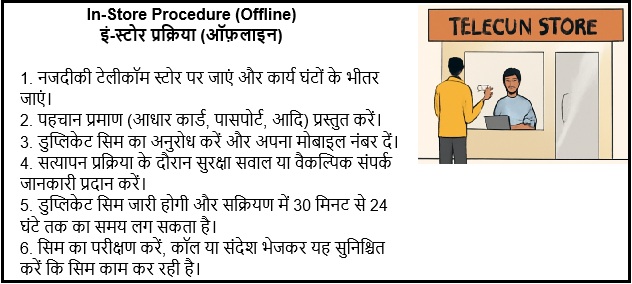
- Visit the Nearest Telecom Store:
- Locate the nearest store of your telecom provider (Airtel, Jio, Vi, BSNL, etc.).
- Visit during working hours.
- Provide Identity Proof:
- Submit a government-issued ID proof (Aadhaar card, passport, voter ID, etc.).
- Some providers may ask for a passport-size photograph.
- Request Duplicate SIM:
- Inform the store agent that you've lost your SIM and need a duplicate one.
- Provide your mobile number (the one you wish to get replaced).
- Complete any forms if required.
- Verification Process:
- The store will verify your identity and check the details linked to your mobile number.
- You may be asked to answer security questions or provide alternate contact information.
- Duplicate SIM Issuance:
- After the verification process, the store will issue a new SIM card with the same number.
- Activate the SIM: Activation can take anywhere from 30 minutes to 24 hours depending on the provider.
- Test the SIM: Once activated, test the SIM by making a call or sending a message to ensure it works.
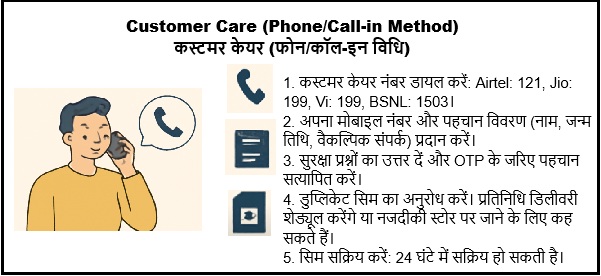
2. Customer Care (Phone/Call-in Method)
- Call the Customer Care:
- Dial the customer care number: Airtel: 121, Jio: 199 Vi: 199, BSNL: 1503
- Select the option to speak to a customer care representative or follow the IVR instructions for "SIM replacement.
- Provide the Details
- Confirm your mobile number
- Provide identity verification details such as your full name, date of birth, and alternate contact number.
- Mention the reason for requesting a duplicate SIM (e.g., lost or damaged).
- Verification and Security Questions:
- Answer any security questions the representative may ask.
- You may need to confirm your identity using an OTP sent to your registered email or another linked number.
- Request for Duplicate SIM:
- Once your identity is confirmed, request a duplicate SIM card.
- The representative will either schedule a delivery or instruct you to visit the nearest store.
- Activation of SIM:
- Once you receive the duplicate SIM, activate it by inserting it into your phone.
- Activation may take up to 24 hours.
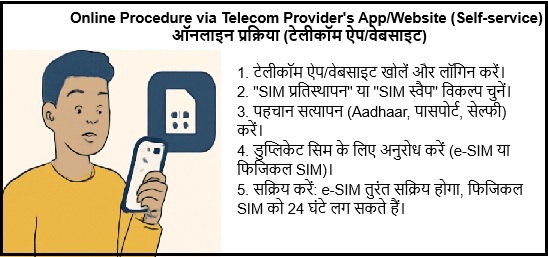
3. Online Procedure via Telecom Provider's App/Website (Self-service)
- Open the Telecom Provider's App or Website:
- Download the telecom provider's official app (Airtel Thanks, Jio, Vi, etc.) or visit their official website.
- Log in using your registered phone number or user ID.
- Navigate to "SIM Replacement" or "SIM Swap":
- Find the SIM swap or duplicate SIM option under the account settings or customer service section
- Some telecom providers may label it as "e-SIM Activation" or "SIM Replacement".
- Complete the Identity Verification:
- The app will ask for identity verification (Aadhaar, passport, etc.).
- You may be required to take a selfie or provide a KYC document.
- Submit the Request:
- After completing the verification, submit the request for the duplicate SIM.
- You may be asked to choose between receiving an e-SIM or a physical SIM.
- Activate Your Duplicate SIM:
- If you opt for e-SIM, you will receive an activation QR code to scan.
- If you opt for a physical SIM, you will be required to pick it up from the nearest store, or the telecom provider will deliver it to your address.
- Activation: The e-SIM will be activated immediately, while physical SIM activation may take up to 24 hours.
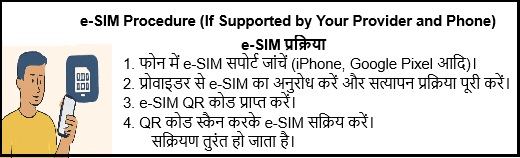
4. e-SIM Procedure (If Supported by Your Provider and Phone)
Some telecom providers allow users to get an e-SIM instead of a physical SIM, This is convenient for users who have smartphones that support e-SIM functionality.
- Check if Your Phone Supports e-SIM:
- Ensure your smartphone supports e-SIM (most recent iPhones, some Android models like Google Pixel support it).
- Request e-SIM from the Provider:
- Go to the telecom provider's app or website, and select the "e-SIM" option for SIM replacement.
- Follow the verification process (KYC documents, OTP, etc.).
- Receive e-SIM QR Code:
- Once your request is processed, you'll receive a QR code from the provider.
- Activate e-SIM:
- Open your phone's mobile network settings, select Add Mobile Plan, and scan the QR code.
- Follow the prompts to complete the e-SIM activation.
- Activation is usually instant.
5. After Getting the Duplicate SIM:
- Activate the SIM:
- Insert the new SIM into your phone.
- Wait for activation (may take up to 24 hours, but usually quicker for e-SIM).
- Test the SIM:
- Make a call, send a text, or check internet connectivity to ensure it works.
- Notify Important Contacts:
- If you were using the old number for any important accounts (banking, social media), update it if necessary.
- Monitor for Misuse:
- Keep an eye on any suspicious activity linked to your lost SIM or number.
Important Notes:
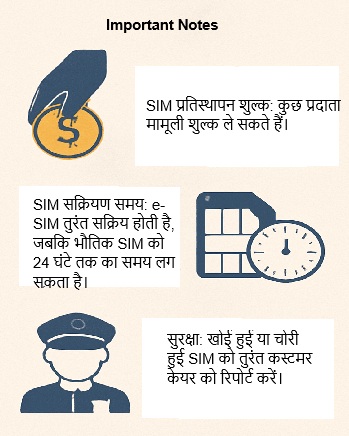
- SIM Replacement Charges: Some providers may charge a nominal fee for a duplicate SIM, depending on your plan and reason for replacement.
- SIM Activation Time: While e-SIM is usually activated instantly, physical SIM replacement may take up to 24 hours.
- Safety: Always ensure that your phone number is not misused by reporting a lost or stolen SIM card to customer care immediately.