

Jana Sunani, Odisha Contact No.

Organization:
Govt of Odisha
Website:
Official Website
iOS App:
Jana Sunani Odisha
Android App:
Jana Sunani Odisha Important Link
How to Register a Complaint in Jana Sunani (Odisha)
- Go to the Jana Sunani portal .
- Login / Create Account in Jana Sunani
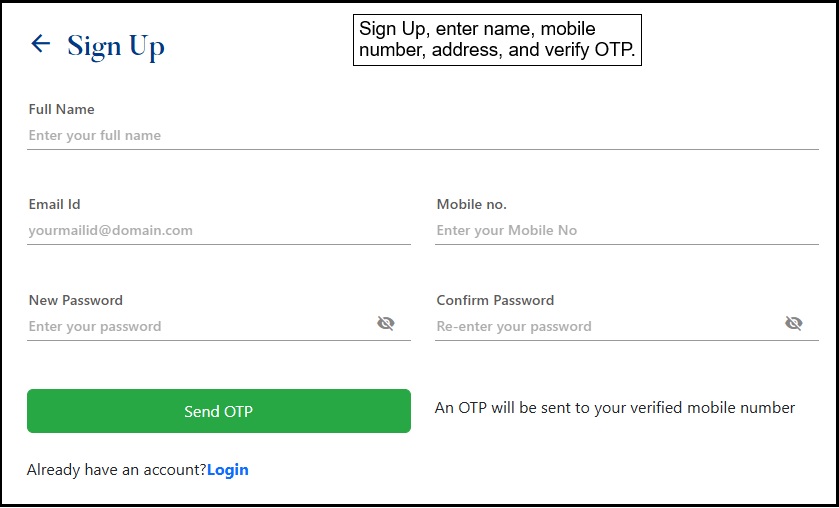
- If new user → Click Sign Up, enter name, mobile number, address, and verify OTP.
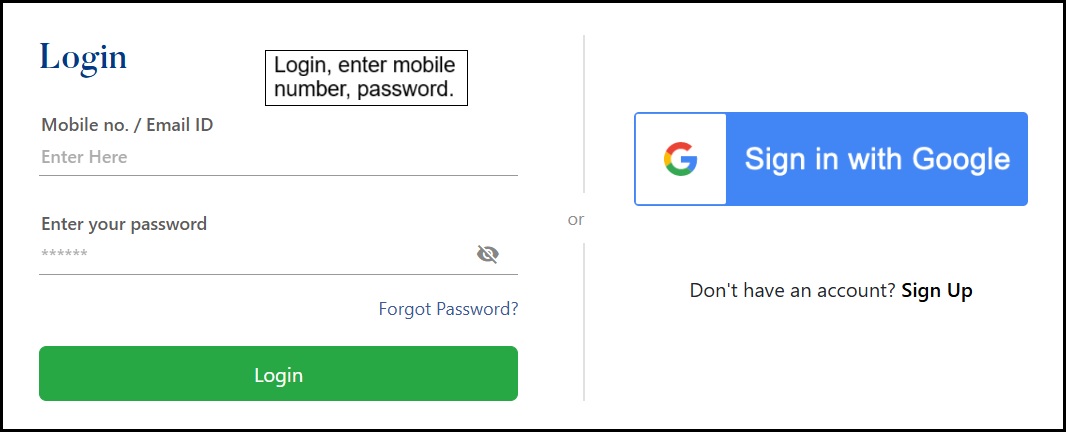
- If existing user → Click Login, enter mobile number, password .
- If new user → Click Sign Up, enter name, mobile number, address, and verify OTP.
- Register a New Complaint
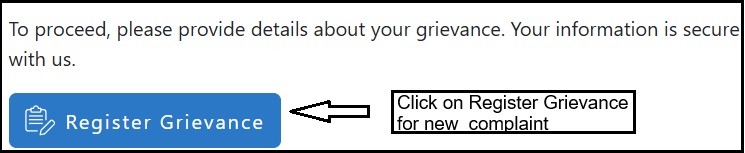
- Click on Register Grievance for new complaint.
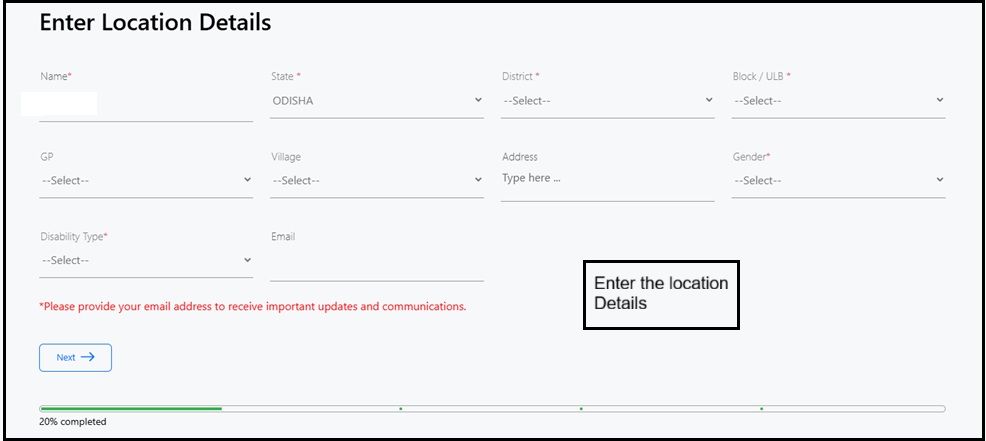
- Enter the location Details .
- Provide details of your complaint clearly in simple words and upload supporting documents (PDF/JPG/JPEG/PNG).

- Select designated person/department you want to send grievance .
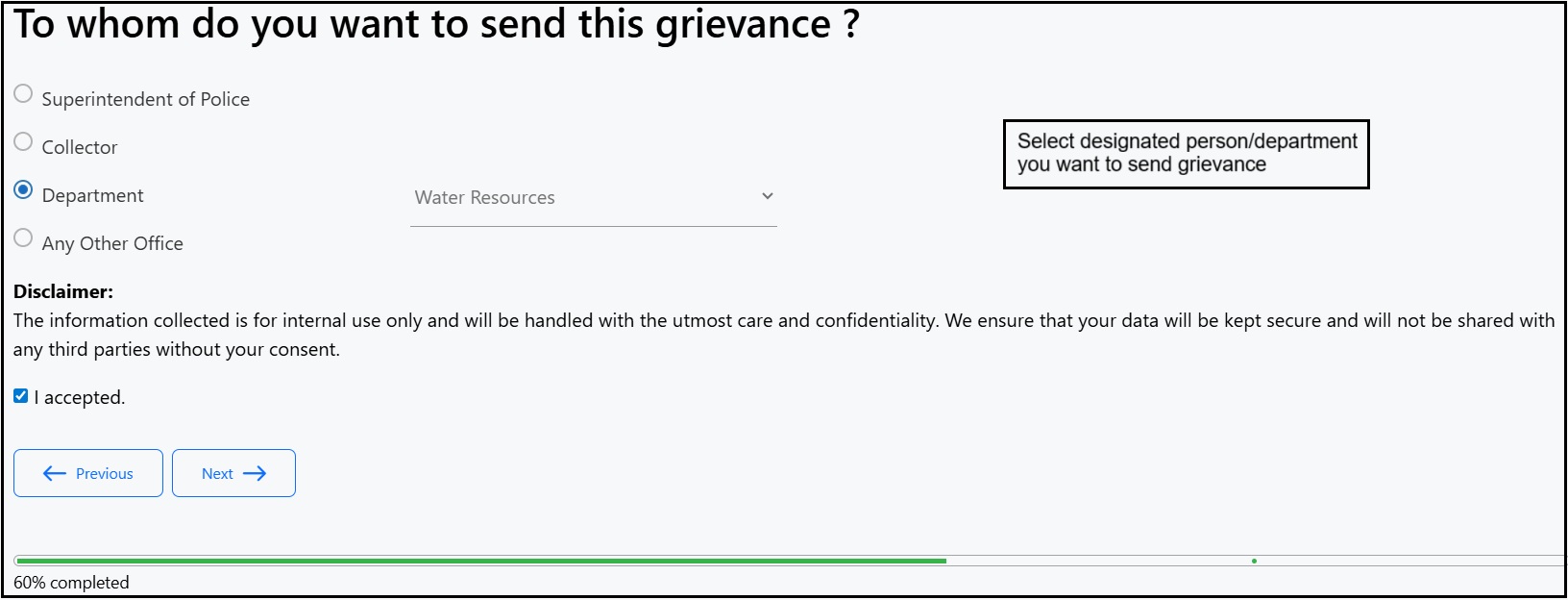
- Click Submit.
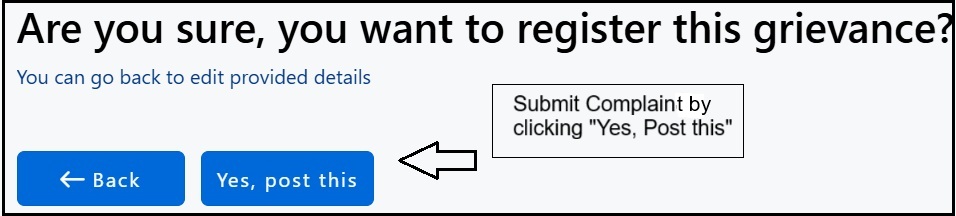
- Click on Register Grievance for new complaint.
- Receive Grievance Number
- After submitting, you will get a Unique Grievance Number, Keep this number safe for tracking.
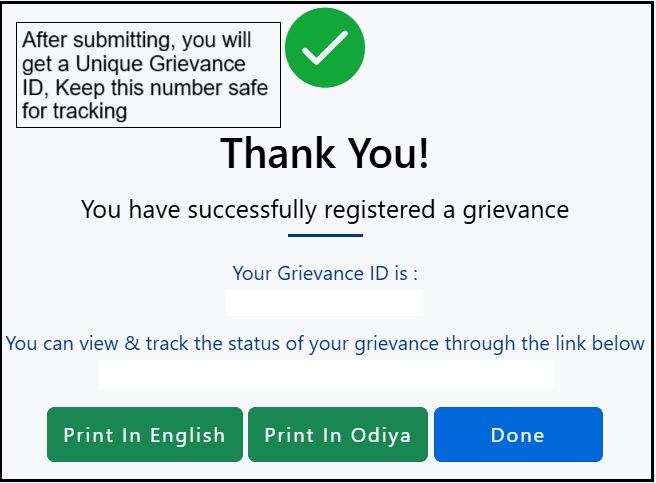
- After submitting, you will get a Unique Grievance Number, Keep this number safe for tracking.
- Status of your complaint
- You can check the status of your complaint by sending a ‘Hi’ message to the 6370951930 (WhatsApp Support).
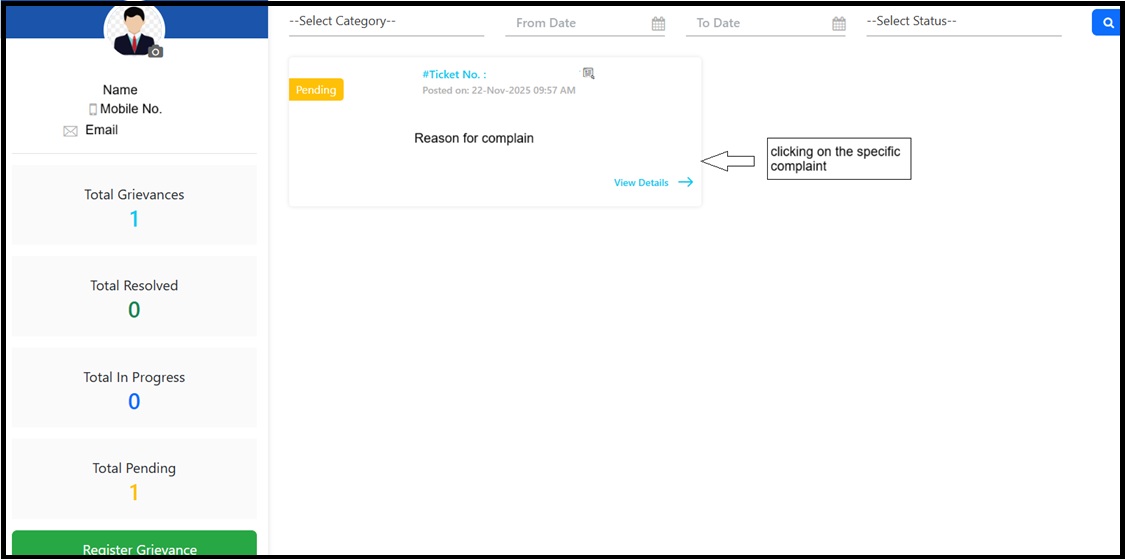
- The status of your complaint can also be viewed by logging in to the Jana Sunani portal, opening your dashboard, and clicking on the specific complaint.
How to Register a Complaint in Jana Sunani Without Login
- Go to the Jana Sunani portal .
- Register a New Complaint.
- Click on Register Grievance for new complaint.
- Click on skip login.
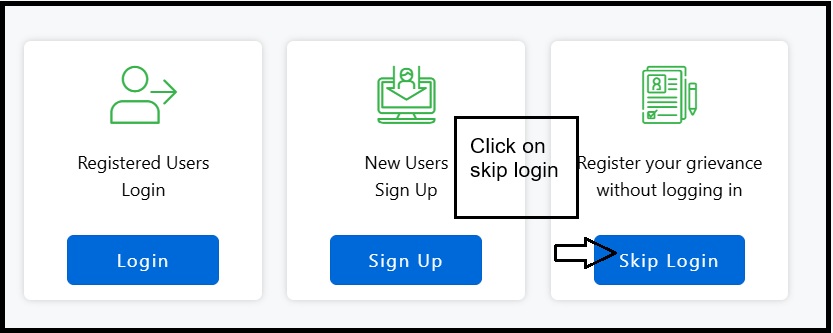
- Enter your mobile number to register complaint, then you will receive an on your mobile.
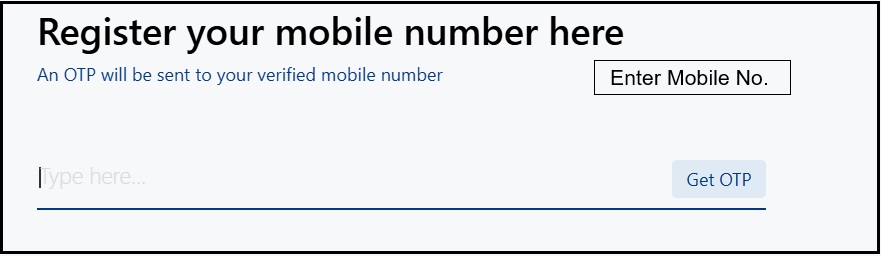
- Enter the OTP to confirm your identity.
- Click on Register Grievance for new complaint.
- Then follow the same procedure described above for registering a complaint in Jana Sunani with login.
How to Register Complaint Using Jana Sunani Mobile App
- Download the App:
- ios App: Jana Sunani Odisha .
- Android App: Jana Sunani Odisha .
- Open the App
- Choose Login or Skip Login (mobile number + OTP).
- Register Grievance by filling all details.
- Submit to complete the process.
- Receive Grievance Number
- After submitting, you will get a Unique Grievance Number, Keep this number safe for tracking.
- Status of your complaint
- You can check the status of your complaint by sending a ‘Hi’ message to the 6370951930 (WhatsApp Support).
Address
Department of General Administration and Public Grievance,
Lokseva Bhawan, Bhubaneswar-751001, Odisha
