Updated on Thursday, 8 January 2026 - 4:14pm
Procedure For Mobile Banking
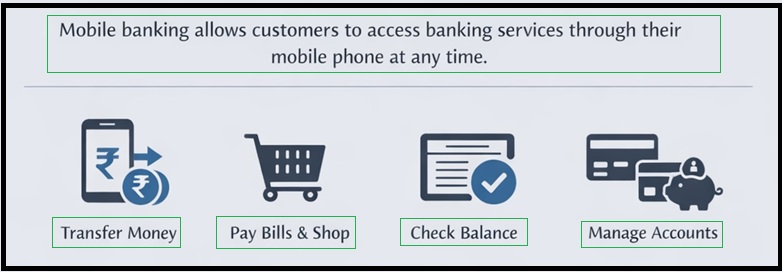
- Mobile banking allows customers to access banking services through their mobile phone at any time.
- Mobile banking allows customers to use their mobile phone to:
- Transfer money, Pay for goods and services, Check account balance and statements and Manage cards, deposits, and other banking services.
- All banks licensed and regulated by the Reserve Bank of India (RBI) and having a physical presence in India are permitted to offer mobile banking services.
- Mobile banking services can be used by:
- Customers having a savings account or current account, hold a debit card, and have their mobile number registered with the bank.
- Banks follow RBI-mandated strong customer authentication, such as OTP, MPIN, or biometric verification.
- Complaints related to mobile banking services are addressed under the Banking Ombudsman Scheme.
- Banks are required to inform customers about:
- Risks involved in using mobile banking services
- Customer responsibilities
- Customer liabilities in case of unauthorised transactions

Registration and Setup
- Download the official Mobile Banking Application from Google Play Store (Android) or Apple App Store (iOS) OR from the bank links provided below.
- Open the Application and select "New Registration" or "Sign Up".
- Enter the mobile number registered with your bank account.
- Verify your identity by entering the One-Time Password (OTP) sent to your registered mobile number.
- Provide the required account details or debit card details, as requested by the bank.
- Create your User ID, login password, or MPIN for secure access.
- Complete the activation process by following the instructions provided by the bank.
 NOTE:
NOTE:
- Use only your bank's official mobile banking App, downloaded from the Play Store or App Store.

- If you forget your password, reset it using the "Forgot Password" option.
- If a transaction fails, check your internet connection and wait for a refund.
- If fraud is suspected, immediately block your account/card via the App or call customer support.

- You can also refer to the following related resources for additional guidance:

